
A lap timer tells a driver he was six tenths slower than his best. It doesn’t tell him where he lost them, or what to do differently next time out.
That’s the gap Lap Lab closes for a club racer at Big Willow, the 2.46-mile, 9-turn road course at Willow Springs International Raceway in Rosamond, California. It’s still a work in progress. The part I want to write about is how it got built: in one working day, by me directing a team of AI coding sessions instead of writing the code myself.
What Lap Lab does
A driver records a session with a 25 Hz GPS puck and a lap-timer app, his phone’s own GPS, or the official transponder timing. Lap Lab turns that into:
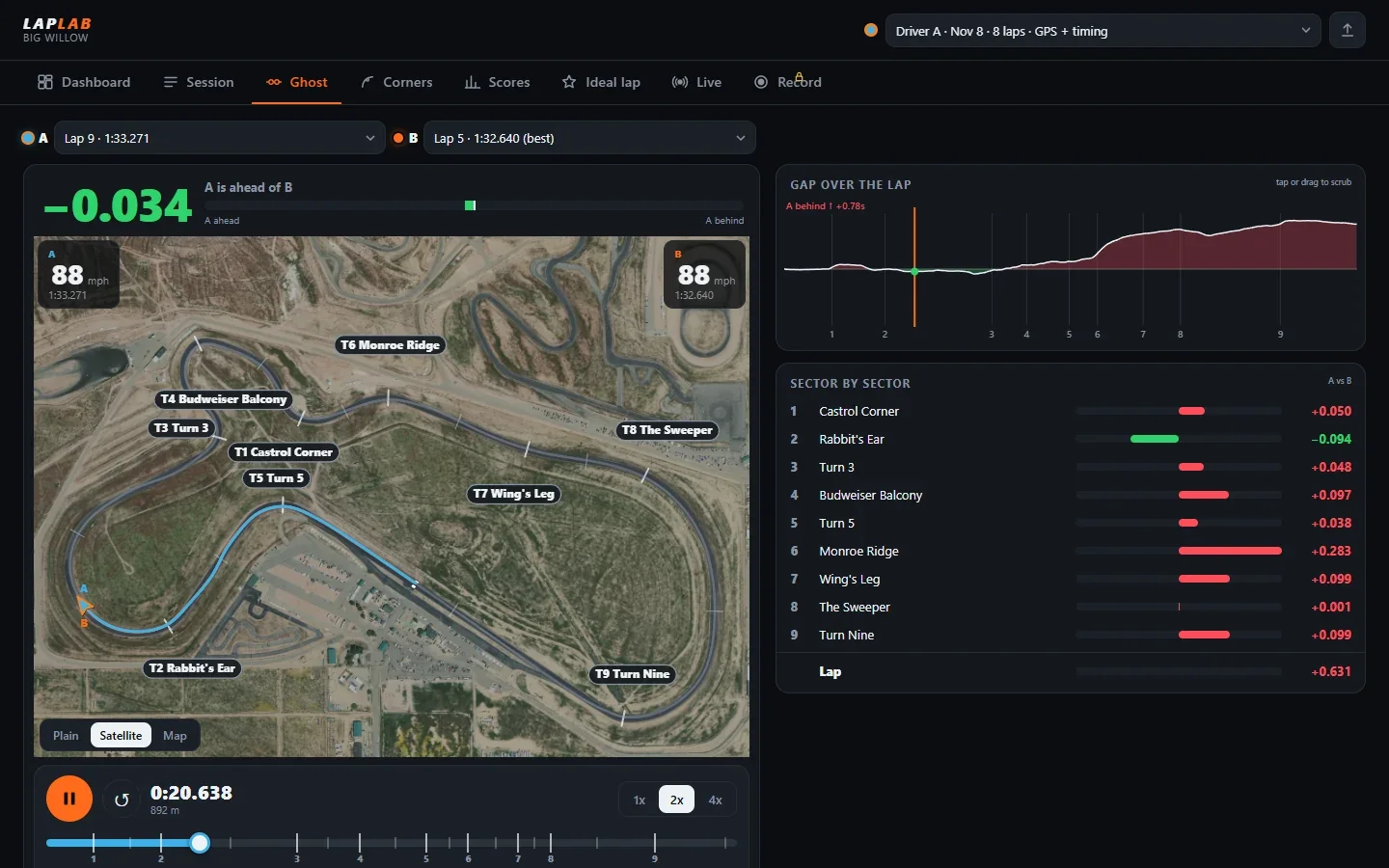
- His racing line on a satellite map, colored by speed or by braking and throttle, so he can see exactly where he lifts and where he’s back on the power.
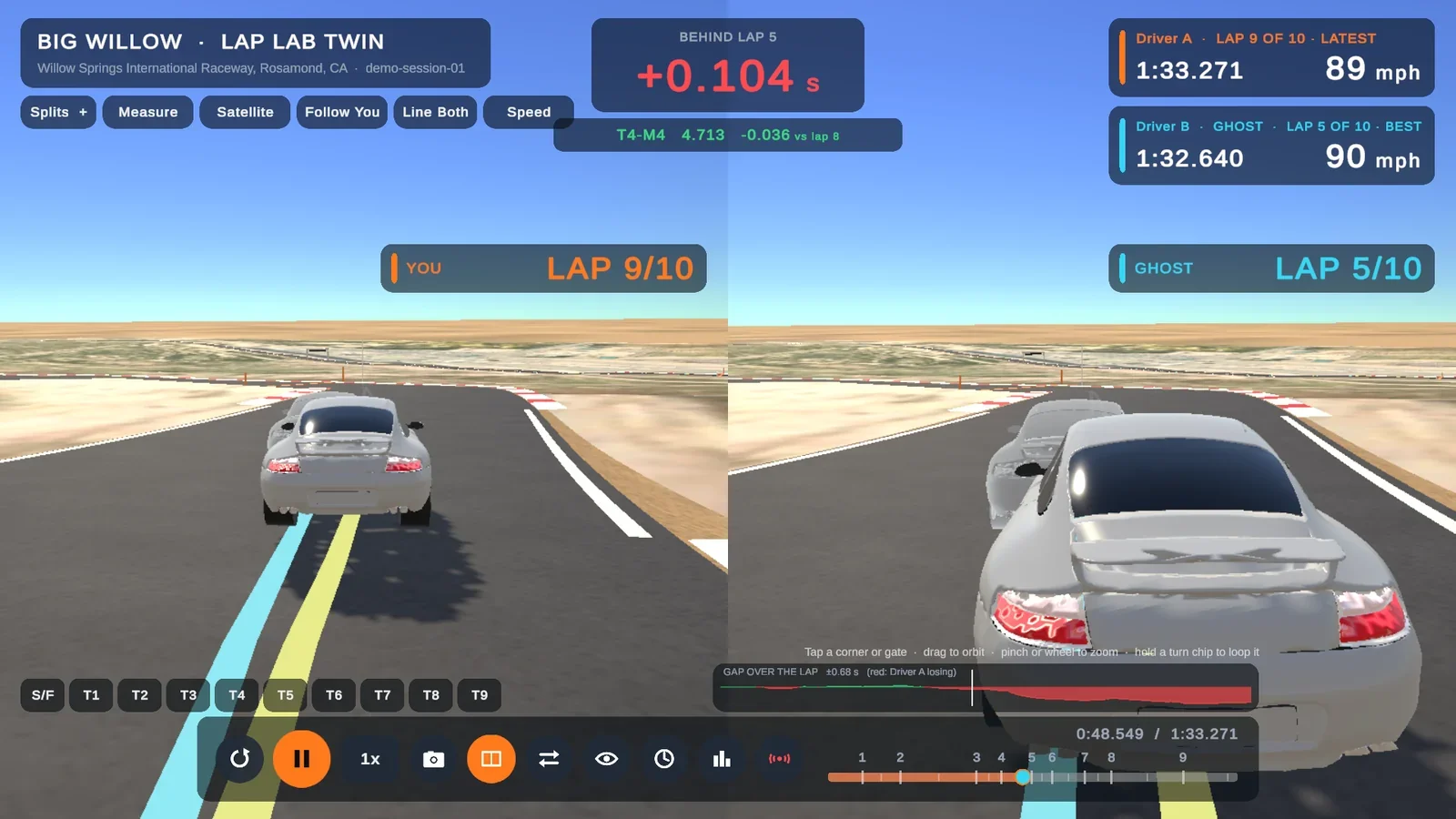
- A two-car ghost replay of any two laps, his own or a friend’s, with a live time gap. He can scrub it and jump straight to any turn, so he watches the time disappear instead of guessing.
- Turn-by-turn times on a scoreboard, each colored against the previous lap (purple for a personal best, green for better, red for worse). One glance says which corners got better and which got worse.
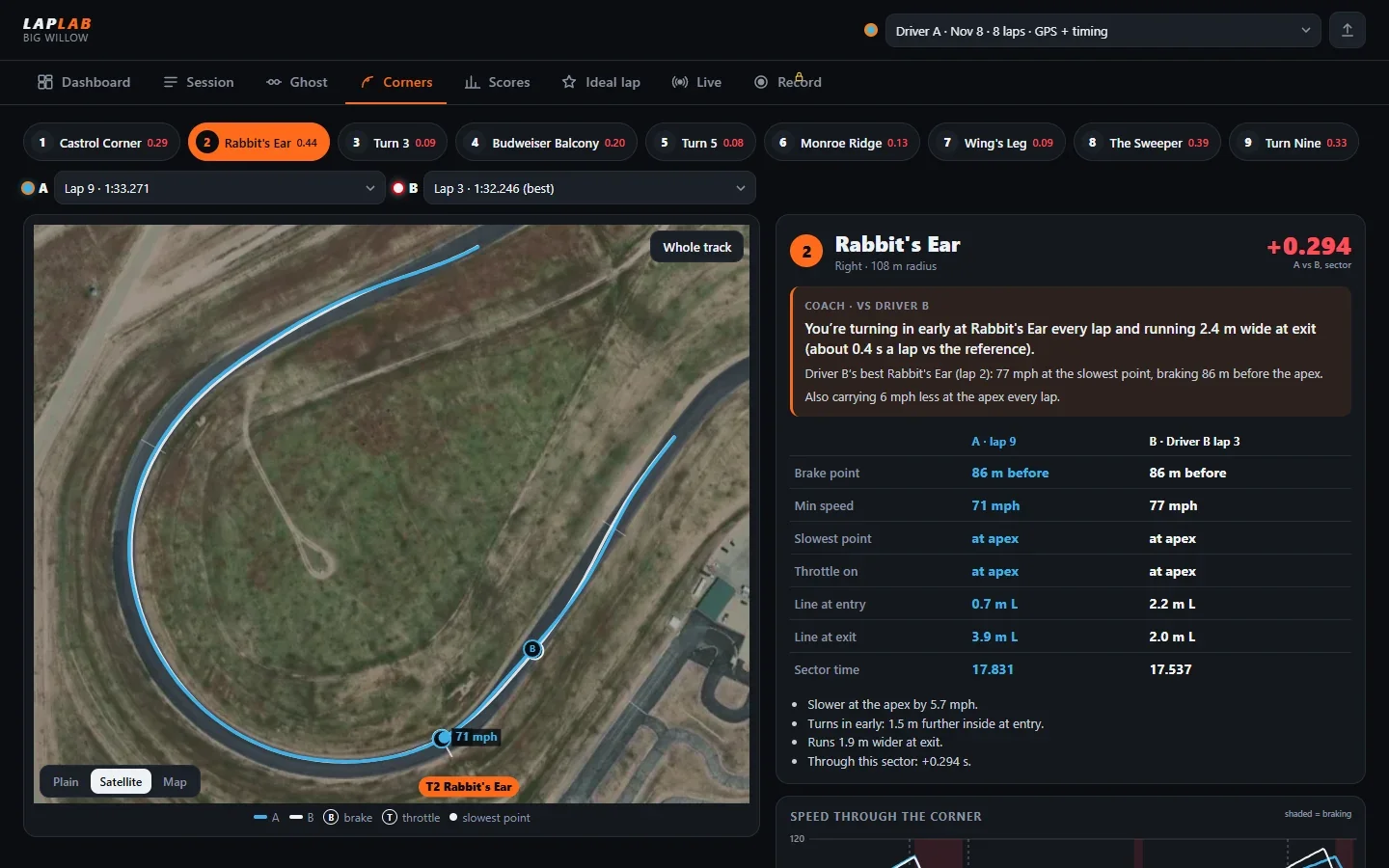
- Coaching for every corner, in plain words: “You’re turning in early at Rabbit’s Ear every lap and running 2.4 m wide at exit.” That’s Turn 2, and it’s something he can actually fix in the next session.
- A theoretical best lap stitched from his best sectors, records across track days, and a leaderboard.
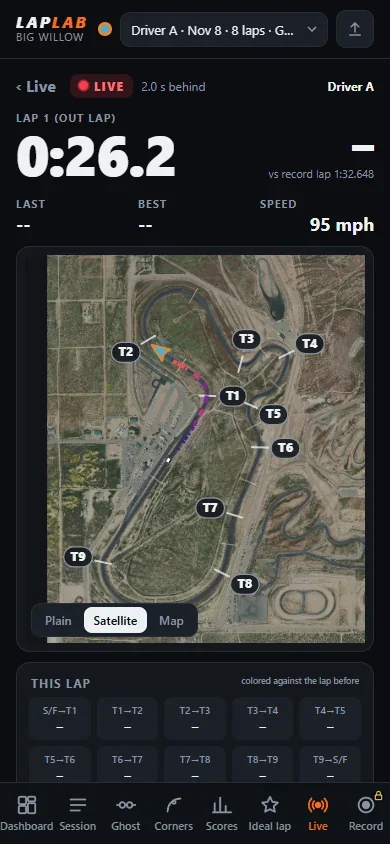
- Live viewing. Friends in the paddock watch the car go round on their phones in real time, about two seconds behind.
- A 3D digital twin of the track, built from real terrain and satellite imagery, with his car on it, six camera views and split screen. Every car shows which lap it’s on, and the ghost can be hidden when he wants a clean look at his own line.
The web app opens from a link in any phone or desktop browser, with nothing to install. The 3D twin runs in the browser, on Windows and on Android.
One person, one day, a team of agents
Lap Lab has a web app, a 3D app, a backend, live streaming, track data and hosting. That’s usually a job for several people. I had one day and me.
So I ran it like a general contractor runs a job site. The contractor doesn’t swing every hammer. He keeps the plans, hands each trade its part, and checks the work before anyone signs off.
My foreman was one Claude Code session I call the dispatcher. It planned the work, wrote the data contracts, checked every result and handled hosting. Under it, specialist sessions each owned one area: track data, the web app, the 3D twin in Unity, the Firebase backend and deployment, plus one more that came in for a single fix to a shared framework.
Three rules that kept it from turning into chaos
Put a handful of AI sessions in one project and they will happily rewrite each other’s work. Three rules prevented that.
- Every session owns its own files. Nobody edits anyone else’s. Specialists report back to the dispatcher instead. Two agents can’t overwrite each other’s work, and when something breaks, it’s obvious whose area it’s in.
- One shared contract document. The dispatcher wrote the data formats down in one place that every session worked from. The web app, the 3D twin and the backend all read the same lap data, so the pieces fit when they meet.
- Nothing is done until it runs on a real device. Every build was checked in a real browser or on a real Android tablet before it counted. A headless browser even recorded the demo videos on its own.
My job: product calls in plain English
I didn’t write the code. I made the calls, the way I’d say them to a person: “make it work live.” “Password protect recording.” “The wheels are scaled up.”
The dispatcher turned each of those into tasks and sent them to the right session. “Make it work live” touched the backend, the web app and the 3D twin. I said it once.
That’s the real benefit of this setup. I stay focused on what the product should do for the driver, and the team handles how.
What the checks caught
AI agents make the same kinds of mistakes a human team does. The difference is whether your process catches them before a user does. These are the ones caught during the day:
- A hosting bug that broke relative links.
- Car wheels that came out doubled in size after a shape swap in the 3D model.
- An Android crash from writing into a read-only folder in a shared framework. It was fixed in the master framework, so every future app built on it gets the fix too.
- A password rate limit that would have locked out every phone sharing the paddock Wi-Fi.
- The live view dropping the last lap when a session ended.
That Wi-Fi one is my favorite. It’s the kind of bug that never shows up at a desk and ruins a track day.
What’s not finished
Lap Lab is a work in progress, and I’d rather say so plainly:
- The lap data is generated. Every lap you see comes from a vehicle model driven on the real track geometry. No real session from the driver exists yet. The first real track day is the real test.
- The server deploy was still in progress when I wrote this.
- The GPS puck integration is written but untested on hardware.
How it’s built
- Web app: TypeScript, Vite and Canvas 2D, with 60 unit tests.
- 3D twin: Unity 6 (URP) on my Make Easy framework, built for Android and WebGL.
- Backend: Firebase, with Cloud Functions, Firestore, the Realtime Database for the live stream, and Storage.
- Hosting: my HOST Platform.
- The track: OpenStreetMap geometry, USGS elevation, and a satellite overlay fitted to 0.25 m.
A work in progress. All lap data shown is generated, not a real driver’s results.
Have a product that looks like it needs a whole team? Book a free 30-minute call and we’ll work out what it would take.